Small Living Room Makeover Ideas (Preview Them with AI First)
Small living rooms punish mistakes: one oversized sofa or dark paint choice and the room shrinks around you. The safest way to make over a small space is to test every idea virtually first — an AI makeover of your actual room shows which changes genuinely open it up.
What actually makes a small room feel bigger
Designers rely on a handful of levers: lighter wall colors, furniture scaled to the room, exposed floor area, mirrors and light layering. The problem is knowing which lever matters most in your room. Interior AI answers that empirically — generate versions of your living room with lighter walls, slimmer furniture, or a rearranged layout, and see which change transforms the feel.
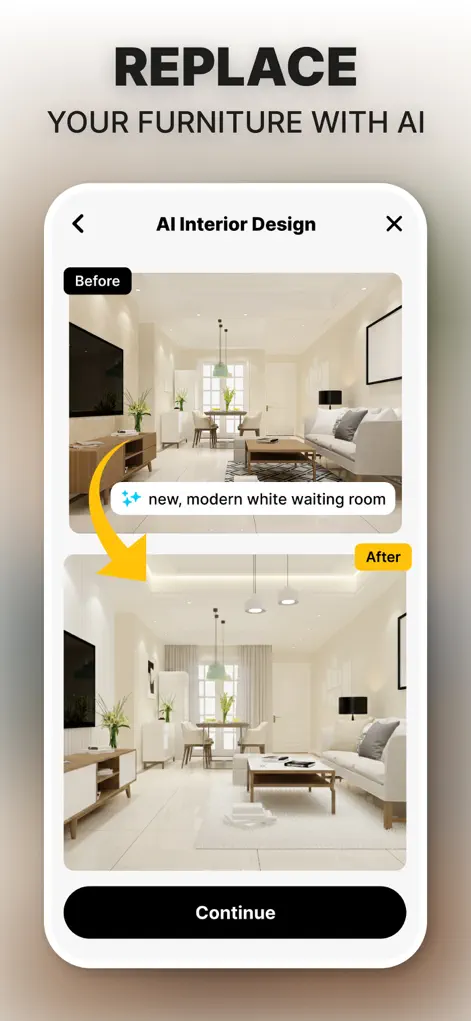
Step-by-Step: Small Living Room Makeover Ideas (Preview Them with AI First)
- Photograph your living room honestly. Current furniture, current clutter — the AI works from reality, and the before/after will be more convincing.
- Test the big three levers. Generate versions with (1) lighter walls, (2) smaller-scale furniture, and (3) a minimalist decluttered layout. Compare which opens the room most.
- Refine your winning direction. Iterate within the best-performing version — adjust colors, swap individual pieces, brighten the lighting.
- Turn it into a shopping plan. Save the final design; every visible change in it is an item on your makeover checklist.
Getting a fair before photo of a small room
The temptation in a small room is to use the ultra-wide lens to fit everything in, but it stretches the edges and makes furniture look oddly shaped, which can carry into the redesign. Use the standard lens, stand in a corner or doorway, and accept that one wall may be out of frame. Take a second photo from the opposite corner if you need it.
Watch for renders that make the room look bigger by quietly dropping things you need, such as storage, the TV, or a desk, or by showing furniture slimmer than you'd find in stores. Check that the winning design still does everything your room has to do, and measure any piece it suggests before buying.
Small living room mistakes worth testing for
Use Interior AI to check your plan against the usual traps, one at a time, so you can see which change is really helping:
- Pushing every piece against the walls. It can leave an awkward empty middle; compare a version with the seating pulled into a tighter group.
- Too many small pieces. Several little side tables and chairs can feel busier than one well-sized sofa and a single table.
- A rug that's too small. One that only fits under the coffee table can make the room look chopped up; compare it with a rug the front legs of the seating rest on.
- Curtains hung low and narrow. Curtains mounted closer to the ceiling and wider than the window make it look taller and let in more light.
- A single overhead light. Add lamps in the corners and see how the edges of the room open up.
Try It on Your Own Space
Interior Design AI: Floor Plan is free to download on the App Store. Redesign your first room in under a minute.
⬇ Download Interior AIFrequently Asked Questions
Can AI help with furniture arrangement in a small space?
Yes — generate redesigns with different layouts and furniture scales to see what fits your room best before moving anything.
Which styles work best for small living rooms?
Minimalist and coastal directions usually open small rooms up — but test on your own room; light and window position change the answer.
Do I need to empty the room first?
No. Photograph it as-is; the AI redesigns over your current setup.