How to Try Interior Design Styles on Your Own Room
"What's your style?" is the hardest question in decorating — because words like boho or minimalist mean nothing until you see them on your room. An AI style try-on ends the guessing: one photo of your space, rendered in every major design style, side by side.
Why seeing styles on YOUR room changes the decision
A style that photographs beautifully in a magazine loft can fall flat in a small square bedroom. Interior AI applies each style — modern, minimalist, luxury, boho, coastal, and more — to your room's actual proportions and light. Even better, its style reference integration lets you upload any photo of a room you love and apply that specific look to your space.
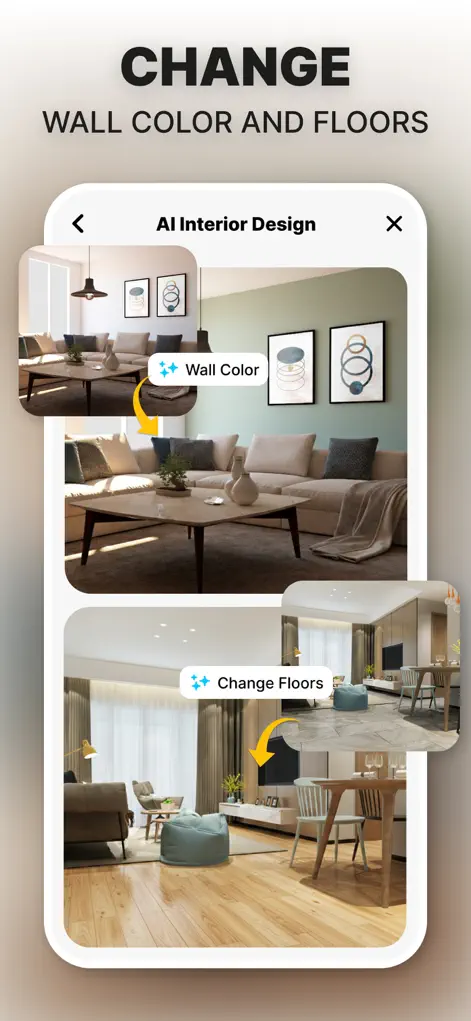
Step-by-Step: How to Try Interior Design Styles on Your Own Room
- Upload one good photo of your room. This single photo becomes the canvas for every style test.
- Run the style gauntlet. Generate your room in each major style. Seconds per style means you can try them all in one sitting.
- Use a reference photo for precision. Found a specific room on Pinterest or Instagram you adore? Add it as a style reference and the AI applies that exact direction to your room.
- Shortlist and refine. Keep the two or three styles that stop your scroll, then iterate on colors and furniture within your favorite.
Setting up a fair style comparison
A style test only works if everything else stays fixed. Use the same photo for every style, taken in daylight with the lights on, so any difference you notice comes from the style and not from brightness or angle. A clear, level shot of the room's main wall and floor gives each style enough to work with.
Style names cover a lot of ground, and your idea of coastal or luxury may not match what the AI produces from that label. If a result is close but not quite right, a reference photo of the exact look you mean is usually a quicker fix than cycling through more labels.
Items you plan to keep will color every result. If the glossy red kitchen cabinets or a large leather sofa are staying, judge each style on how well it works with them, not on how it would look without them.
What to look for in each result
It's easy to pick the render with the nicest sofa rather than the style that suits you. Look past the specific pieces and notice the choices underneath:
- Color temperature: are you drawn to warm cream and wood, or cool white and grey?
- How much stuff: clear surfaces, or layered textiles, plants, and objects?
- Materials: natural wood, rattan and linen, or metal, glass, and stone?
- Shapes: straight lines and low profiles, or curves and softer forms?
- Your answers describe your taste better than a style label does, and they make shopping easier because you can look for pieces with those traits.
Try It on Your Own Space
Interior Design AI: Floor Plan is free to download on the App Store. Redesign your first room in under a minute.
⬇ Download Interior AIFrequently Asked Questions
Which design styles are included?
Modern, minimalist, luxury, boho, coastal, and more — plus unlimited custom directions via reference photos.
What is style reference integration?
You provide a photo of any interior you love alongside your room photo, and the AI uses it to guide the redesign of your space.
Can I mix styles?
Yes — iterate from one style's result toward another, or use a reference image that already blends the two.