Virtual Staging for Real Estate Listings
Empty rooms don't sell — buyers can't judge scale, can't imagine their life in the space, and scroll past. Physical staging fixes that at a heavy price. Virtual staging with AI gets the same effect from a phone photo: furnished, styled, professional-looking listing images generated in seconds.
Why staging moves listings
Staged homes consistently sell faster and closer to asking price because furnished rooms communicate scale and purpose at a glance. Traditional staging means renting furniture and coordinating logistics per listing; virtual staging services charge per photo with day-long turnarounds. Interior AI puts the whole workflow on your iPhone: photograph the empty room, generate staged versions in the style that fits the property, and export.
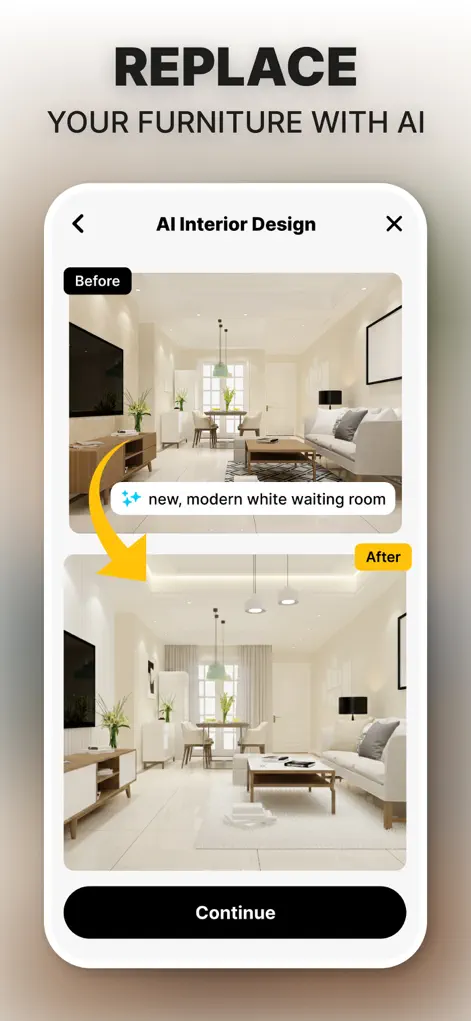
Step-by-Step: Virtual Staging for Real Estate Listings
- Shoot the empty room. Wide angle, good light, straight verticals — the standard listing shot works perfectly as AI input.
- Pick a style that matches the buyer. Modern for condos, warm traditional for family homes, coastal for waterfront — match the staging to the likely buyer's taste.
- Generate and select. Create staged variations in seconds, pick the most convincing one per room.
- Export for the listing. Save the staged photos and add them to your MLS or listing page. Disclose virtual staging where your market requires it.
When virtual staging helps a listing, and when it backfires
Virtual staging works best on clean, empty rooms with good light and straight verticals. Rooms mid-renovation, with damaged floors, or full of the seller's belongings are poor candidates: staging over problems misleads buyers and sets up a disappointing viewing. Fix, clean, or clear the room first, then photograph it.
Use staging to add furniture and decor, not to change permanent features such as flooring, wall condition, fixtures, or the view out of the window. Many listing platforms, MLS systems, and local rules expect virtually staged photos to be disclosed as such, so check what applies in your market before publishing. Including the empty original alongside the staged version is a simple way to keep buyers' trust.
Keeping a staged listing consistent
Buyers flip through listing photos fast, and a gallery where every room is in a different style looks assembled rather than lived in. Pick one style for the property and apply it to each room.
- Shoot every room at the same time of day so the light matches from photo to photo.
- Keep the same camera height and a similar wide framing throughout.
- Stage each room for a believable purpose. A small second bedroom shown as an office is fine; a walk-in closet shown as a bedroom is not.
- Label each staged image as virtually staged if your listing platform doesn't do it for you.
- Keep the unedited originals together so you can answer buyer questions or swap images quickly.
Try It on Your Own Space
Interior Design AI: Floor Plan is free to download on the App Store. Redesign your first room in under a minute.
⬇ Download Interior AIFrequently Asked Questions
Is virtual staging acceptable for listings?
Widely used, yes — most markets simply require disclosing that photos are virtually staged. Check your local MLS rules.
How much does it cost versus staging services?
Interior AI works on a subscription rather than per-photo fees, so per-listing cost drops dramatically for active agents.
Can I stage multiple rooms in different styles?
Yes — each photo is generated independently, though consistent style across a listing usually converts better.